SciPris user guide for librarians and administrators
Your open access agreement with IOP Publishing is administered through our IOP Publishing SciPris platform. Your agreement contact(s) will receive an email with instructions for accessing SciPris. These contacts can approve or decline articles for funding (for validated agreements), view your agreement dashboard and run reports to analyse your funded articles.
On your first visit to SciPris you will be asked to create a login via the IOPP Identity Hub.
Please contact openaccesscharging@ioppublishing.org with any questions about the information within this guide.
In this guide
- The workflow for validated agreements
- The workflow for unvalidated agreements
- Your account
- Your dashboard
- OA account request
- Payment request
- Recent activity
- Reports
The workflow for validated agreements
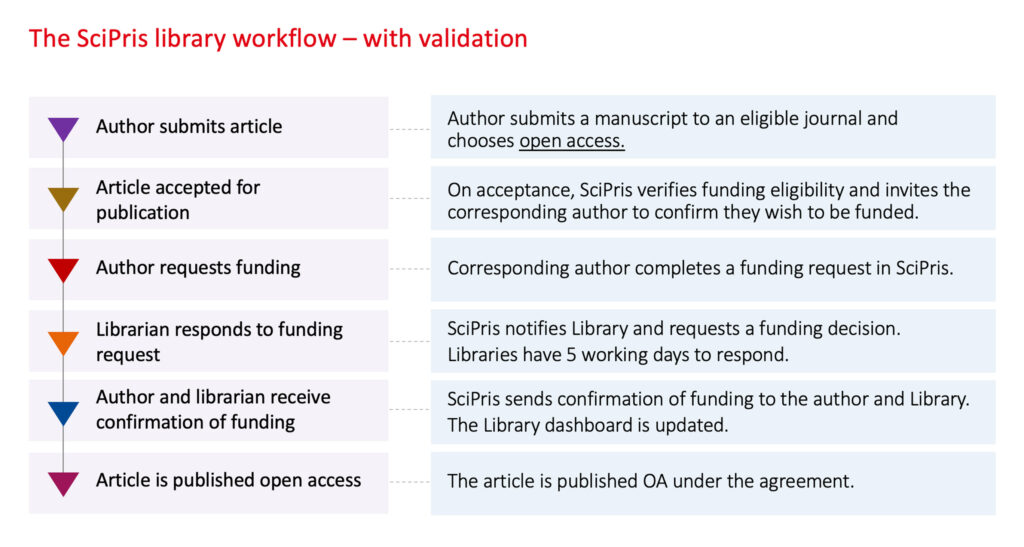
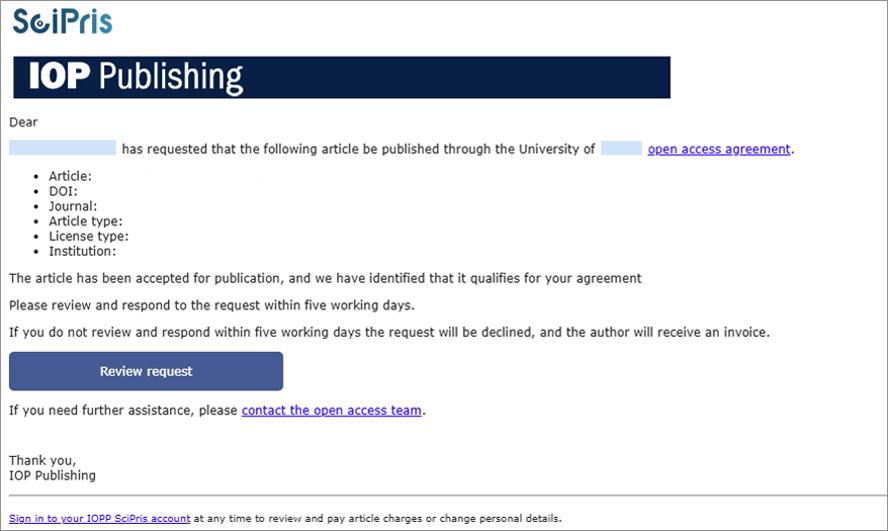
Author requests funding: When an author has requested funding for their article, all linked users on your account will receive a notification that you have an article to review. The email will be sent from IOPP Open Access Team <no-reply@scipris.com> and the subject line will be: ‘Action required: Review the funding request for <article ID>’.
The email will ask you to login to SciPris and review the request within 5 days. Only one linked user on your account needs to action the request. Once a linked user has reviewed the article, other linked users will see a link expired message if they then click on the link within the email. If no action is taken within 8 days, the funding request is automatically declined and the author will receive a notification, followed by an invoice for the APC.
Review the request: Once you login to SciPris you can either ‘accept and proceed’ or ‘decline’ the request. If there is no accepted manuscript DOI to check, the PDF article can be requested from openaccesscharging@ioppublishing.org.
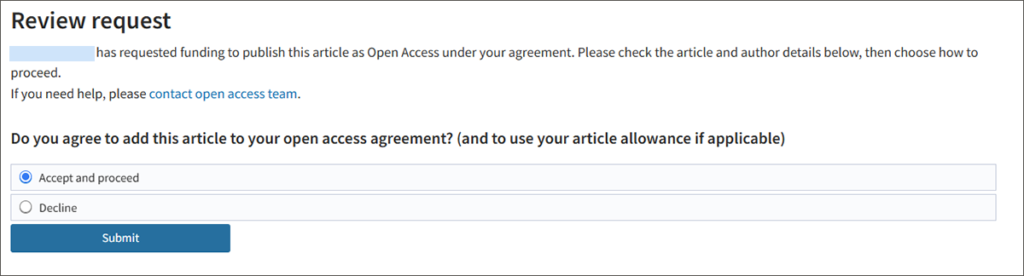
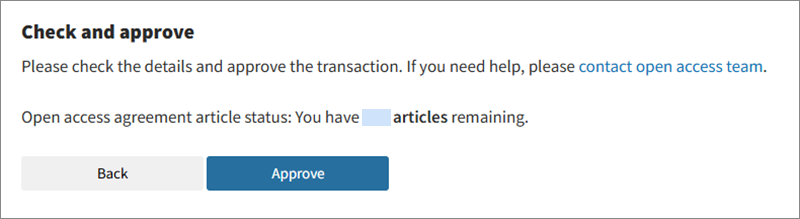
To approve funding, select ‘Accept and proceed’ and you will be prompted to verify the transaction. If your agreement is limited to a capped number of articles, the available balance will be displayed here.
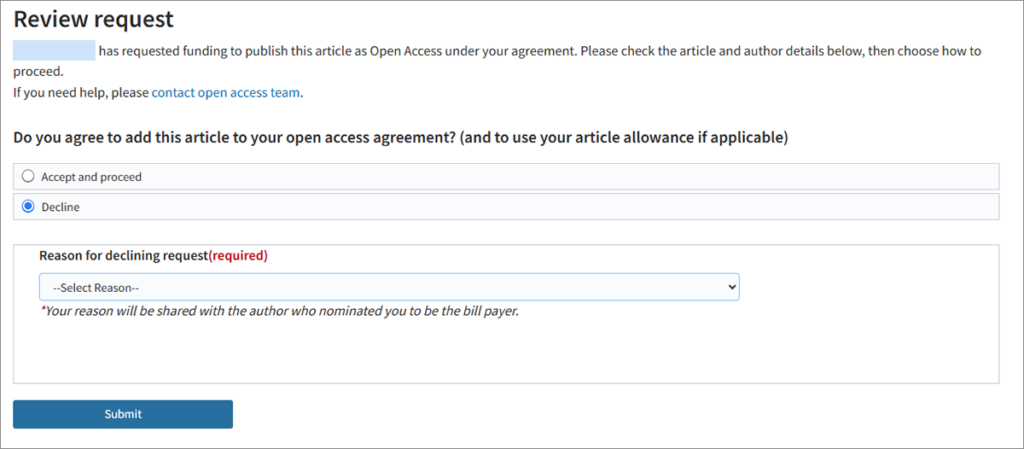
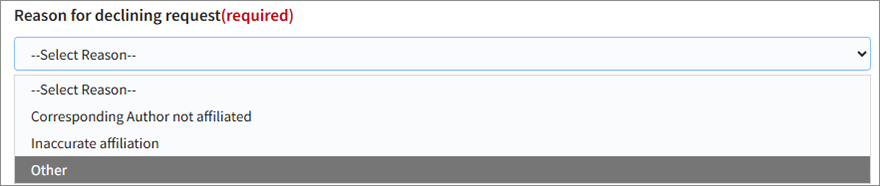
If you choose to decline funding, you will be required to add a reason which will be shared with the author.
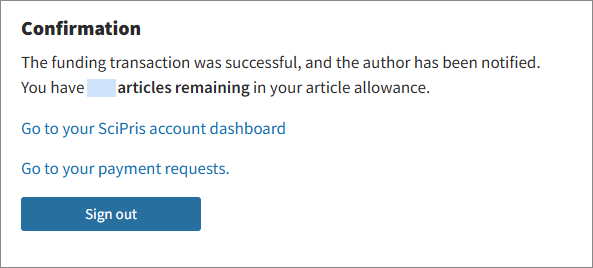
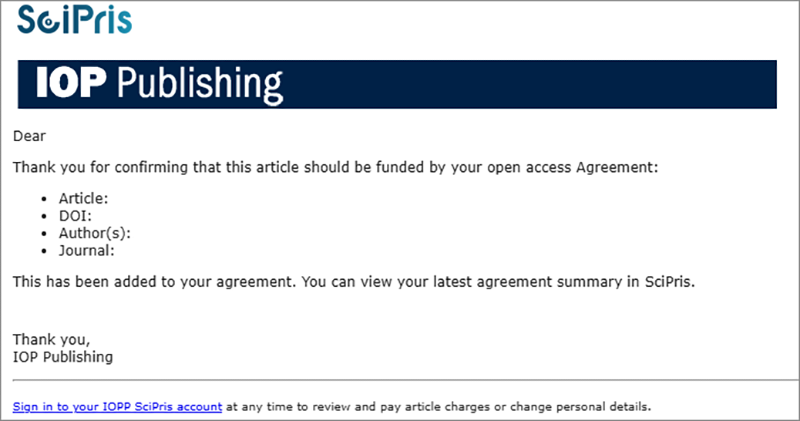
Confirmation: The outcome of your funding decision will be reflected on your SciPris dashboard, in the recent activity page, and in your article report. You will also receive a notification confirming your validation decision.
Prefer to watch a video? See how to approve a funding request and decline a funding request.
The workflow for unvalidated agreements
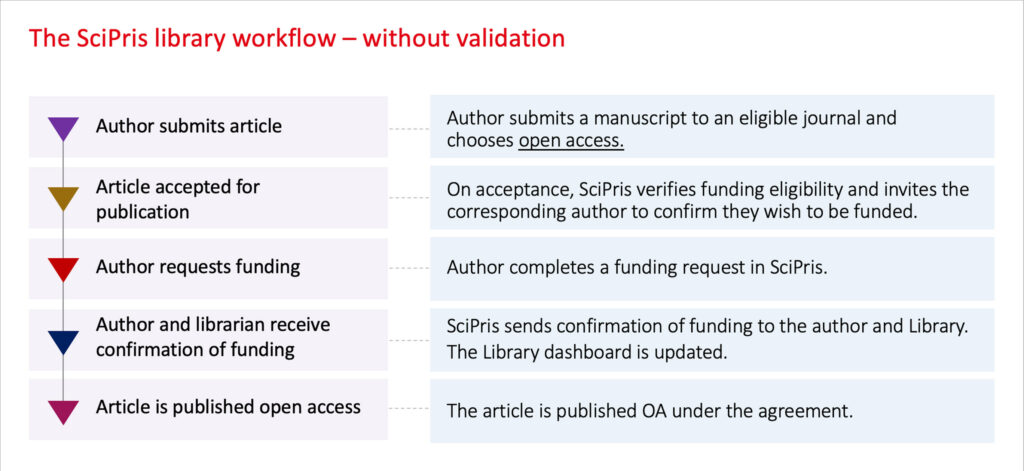
Author requests funding: When an author has requested funding for their article, SciPris will automatically approve funding. All users on your SciPris account will receive an email confirming the article has been placed under your agreement. The email will be sent from IOPP Open Access Team <no-reply@scipris.com>. This notification will be sent automatically as soon as the author has confirmed that they wish to request funding under the agreement.
Email notifications can be switched off by request to openaccesscharging@ioppublishing.org
This is a global account setting and will remove notifications for all users on your account so please confirm with your users before requesting this change. Individual users can be removed from your account as an alternative to removing all notifications.
Funding is approved: The article will be added to your SciPris dashboard, listed in Recent Activity and in your article report.
Your account
Click on the arrow next to ‘Welcome’ to see your organization details. Please let us know if you wish to make any changes to the account information, or spot anything that is incorrect.
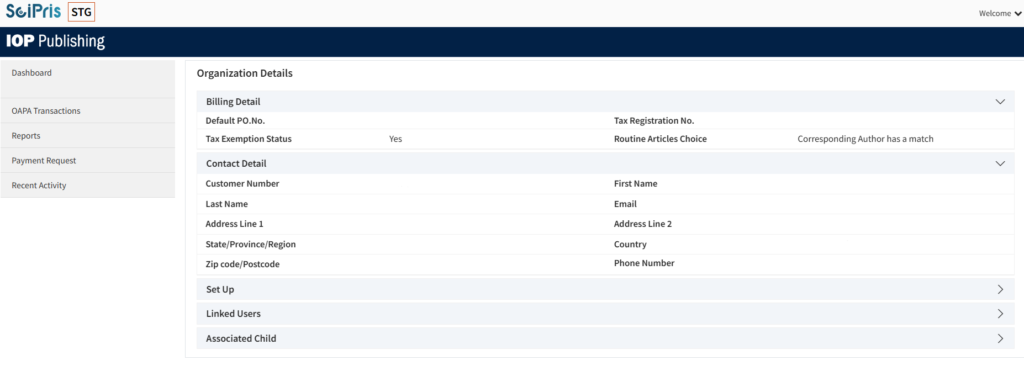
Here are some of the settings explained:
Routine Articles Choice: All our transformative agreements are set up to ensure that eligibility is tied to the corresponding author.
Ringgold IDs: Article eligibility is checked by matching your institution Ringgold ID to a Corresponding Author’s institution Ringgold ID.
Open Funder IDs: If you have an Open Funder ID this will be displayed here.
Payment Type: This displays the payment type with which we have set up your account. It will say ‘Billed as OAPA’. OAPA refers to an ‘open access prepaid account’.
Linked Users: This will show all the users that are linked to your account. To amend users on your account please email us at openaccesscharging@ioppublishing.org. You may choose to use a shared mailbox to make alerts and access easier to manage.
Alert threshold: If you have an agreement with a cap (also known as a ‘limited’ agreement) the alert threshold will trigger a notification when your usage reaches 90%. You can contact your Regional Manager to discuss the continuation of funding articles.
In SciPris, institutional customers are known as Central Bill Payers (CBP). The CBP refers to any institution or consortia who has an agreement with IOP Publishing for the payment of open access charges.
Transformative agreements are referred to as Open Access Prepaid Accounts (OAPA) within SciPris. When we set up your OAPA product we will configure it to your current agreement parameters.
Your dashboard
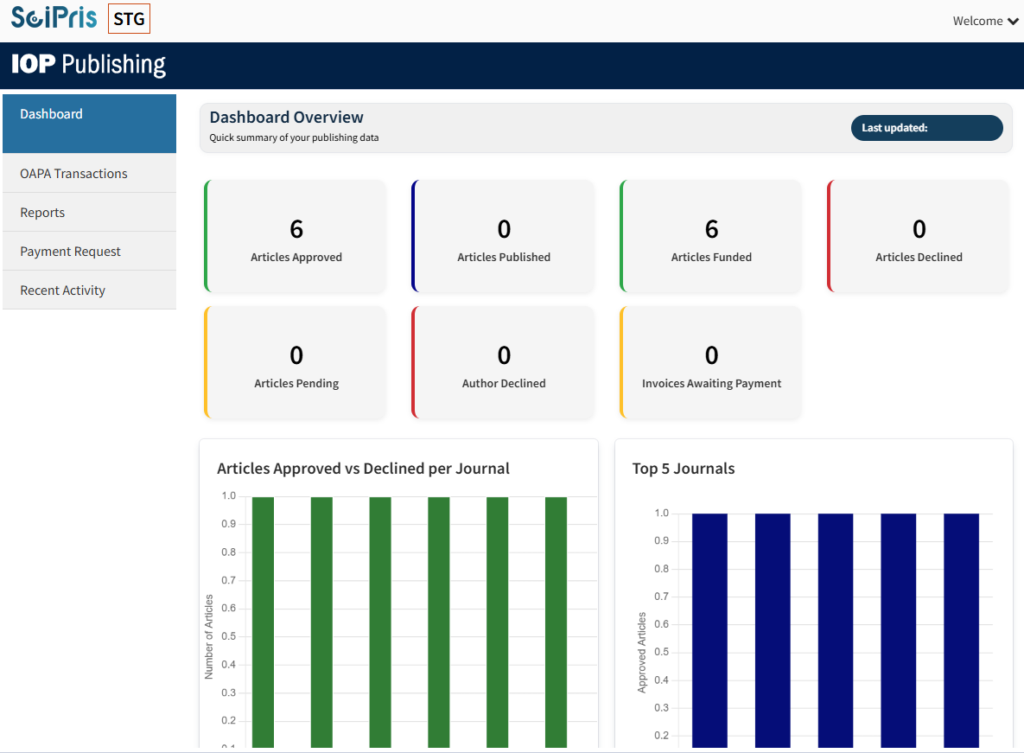
When logged in to SciPris, you will arrive at the Dashboard. You can return to this page via the top link on the left-hand menu.
The dashboard offers a graphical summary to help you track the performance of your transformative agreement, including real time counts of total article activity.
Click the summary tabs to drilldown to the article details.
Some features depend on your agreement type:
- Articles declined/approved – displays for validated agreements
- Article cap overview – displays for limited (capped) agreements
Your dashboard will display multiple Account Balance tabs:
– one tab for all journals, excluding Reports on Progress in Physics
– one for Reports on Progress in Physics articles only.
Reports on Progress in Physics is separate because it has different parameters to the other journals in your agreement where review articles are not eligible for open access funding through transformative agreements.
See our video on how to navigate your dashboard:
OA account request
Articles that have been placed under your agreement will be shown as a debit on the OA Account Request page. The list is sorted by Transaction Date from the most recent article.
For agreements with no validation SciPris will be set to automatically approve eligible articles.
For validated agreements, articles will be displayed after they have been approved.
Payment request
For validated agreements this page displays funding requests that are pending approval. Articles are sorted by ‘Assigned Date’ from old to new.

Recent activity
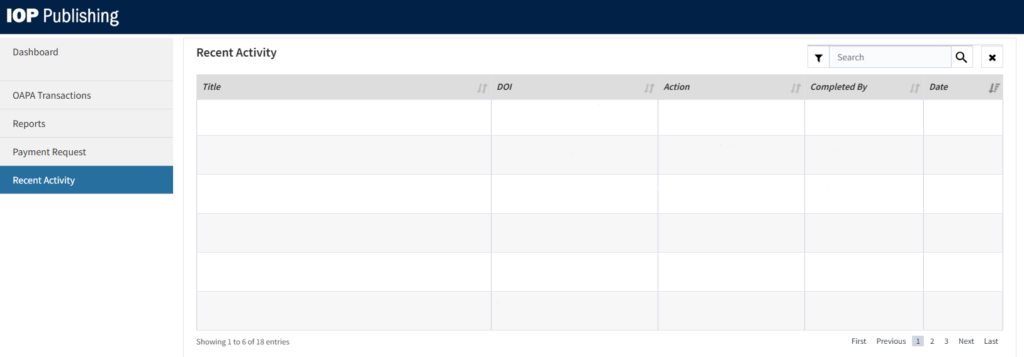
The last 30 actions performed by any user linked to your SciPris account will be displayed here. The default sort will be “Date” in descending order. Each action taken on the same article will appear as a separate entry in the list.
Reports
Reports are available on-demand for you to create at any time.
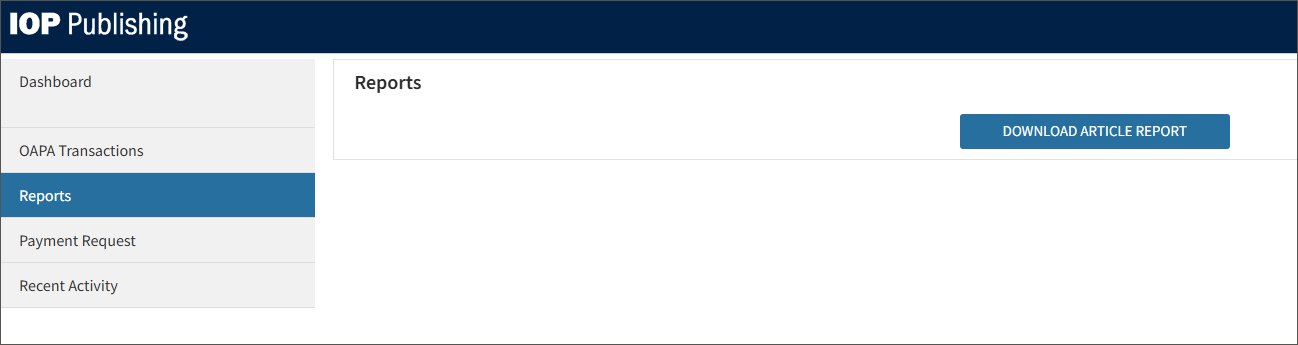
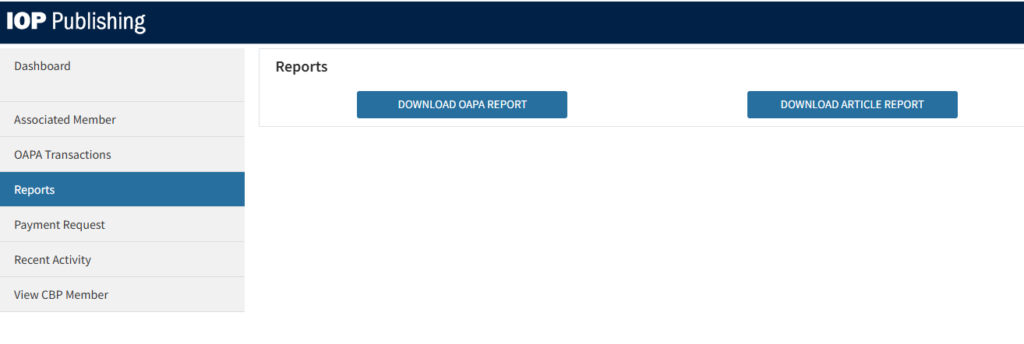
Article report: This provides details of all eligible articles and their funding status, and includes key article metadata.
OAPA report: This report is only available to the account holder, and provides details of all transactions against the OAPA.
For most TA customers you will be pulling the single balance report. For customers that have caps on gold or do not include gold, you may need to pull multiple reports.