
A guide to submitting under a transformative agreement
First we recommend checking IOPP Journal Finder to see if your institution is covered by a transformative agreement (TA), and your article complies with funder requirements.
Alternatively, visit ‘Transformative and institutional open access agreements’ and select the relevant country to find the agreement you may be covered by. Each agreement page lists all of the member institutions and eligible journals.
Here is a quick overview of the TA funding process:
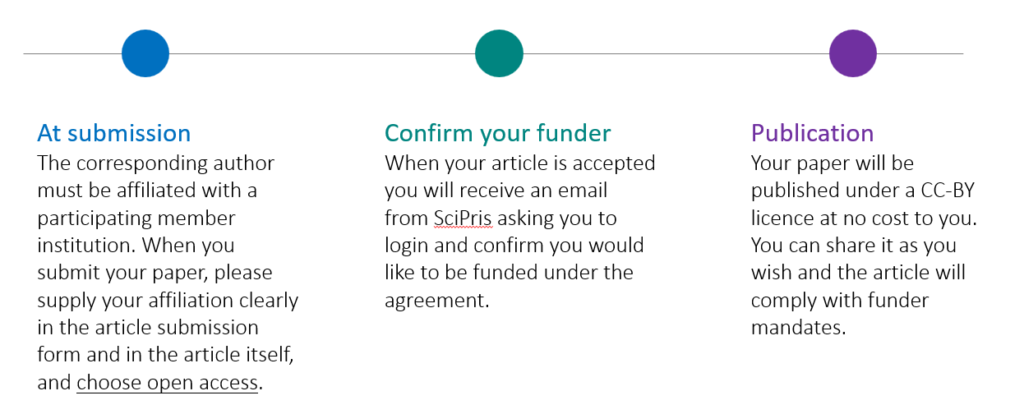
In this guide we have focused on the steps that relate to funding your article through a TA. When you are ready to start your submission, follow the steps on our submission system, ScholarOne.
Note: a small number of eligible journals do not use the ScholarOne submission system.
1. Confirm your institution name
To secure your funding through a TA you must provide an accurate institution name so that we can match your article with the funding available. In ScholarOne, your institutional affiliation is confirmed on step 4 of your submission.

As the corresponding author, your name, institution and OrcidID for your submission will be populated by the information held in your author account in ScholarOne. Any changes to your contact information can be made in your author account.
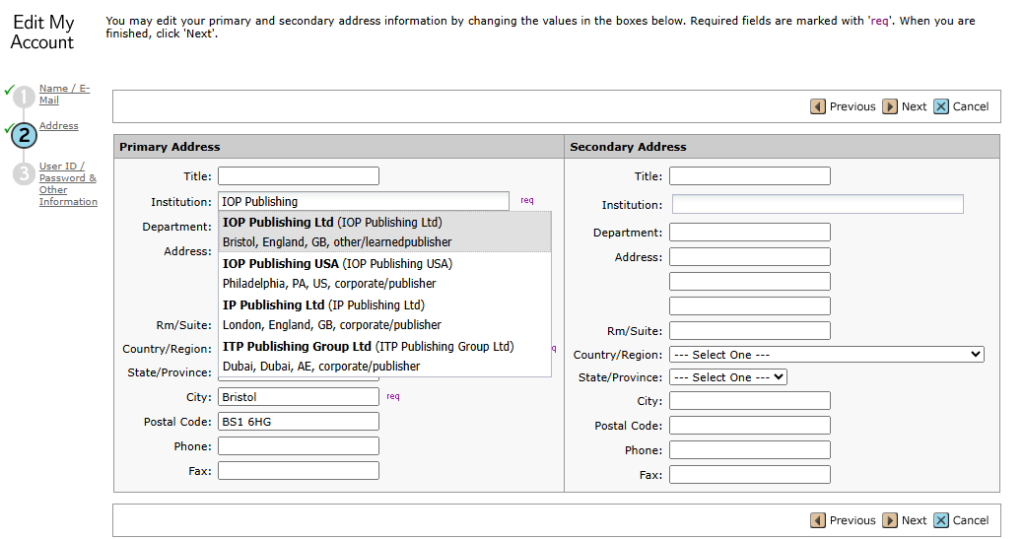
To change your institution, start typing in the institution field and choose your institution name from the names that match your entry. When selecting your institution, choosing from the autofill list of matching institutions will help us to identify your paper for TA funding. We recommend you type your institution name first, rather than your department or laboratory name. If you cannot find your institution in the list, you can type it – please take care to spell it correctly with no additional spaces.
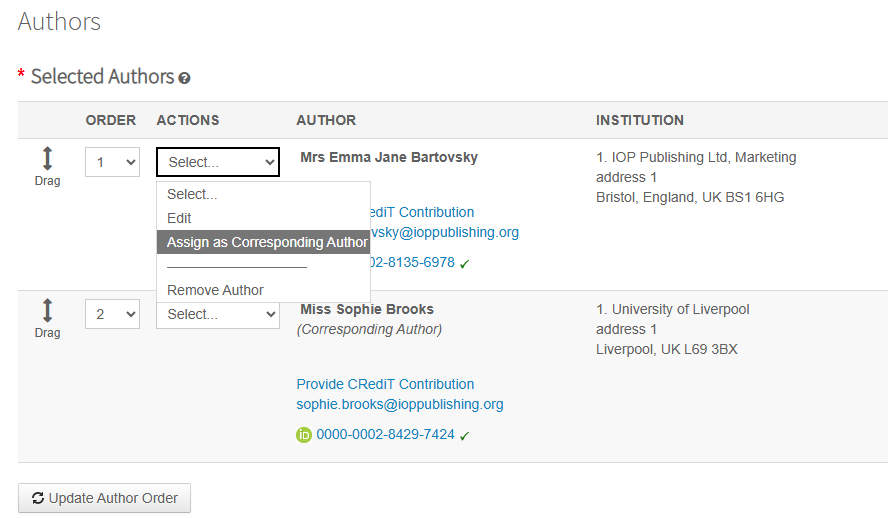
Funding eligibility is always based on the affiliation of the corresponding author. The corresponding author is the person listed as Corresponding Author at the time of submission and is the person responsible for communicating with the journal during the peer review and publication process.
2. Choose open access
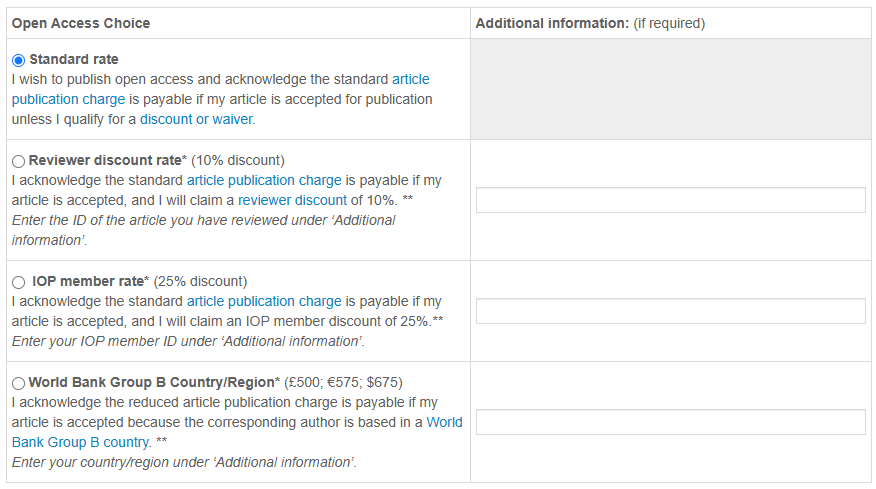
At step 6 in ScholarOne you will see options for publishing your article open access. The options will vary depending on whether you are submitting to a hybrid or fully open access journal, and if there are waivers that may be available to you.
It is possible to change your open access choice between submission and acceptance, so you may want to check your funding options again using the IOPP Journal Finder Tool, before you sign your copyright. Funding through the TA may be declined if your agreement has an article cap that has been met, or if your agreement is validated by a contact within your institution, who declines funding.
Typical hybrid journal open access options are seen below. If you discover that you may be eligible for TA Funding, you should select: Yes: Standard rate.

Typical fully open access options are seen below.
Important: If you choose to publish open access and your article is not eligible for TA funding, or if funding is declined by your institution, you will receive an invoice for the article publication charge. If you think that you are owed funding, please contact openaccesscharging@ioppublishing.org so we can confirm for you.
3. Confirm your funding request
After your article is accepted for publication, you will receive an email from our SciPris open access funding platform.
• the sender will be IOPP Open Access <no-reply@scipris.com>.
• the subject line will be ‘Action required: Your APC is eligible for open access funding – complete your request for <article ID>’
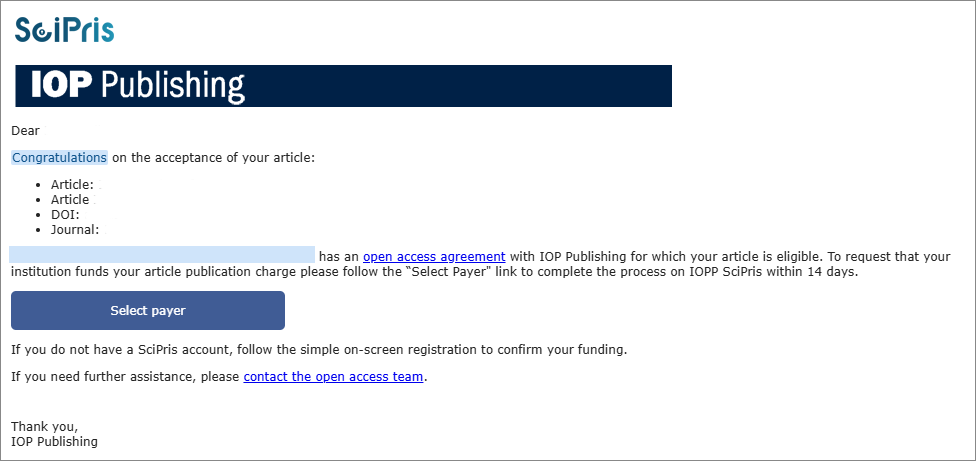
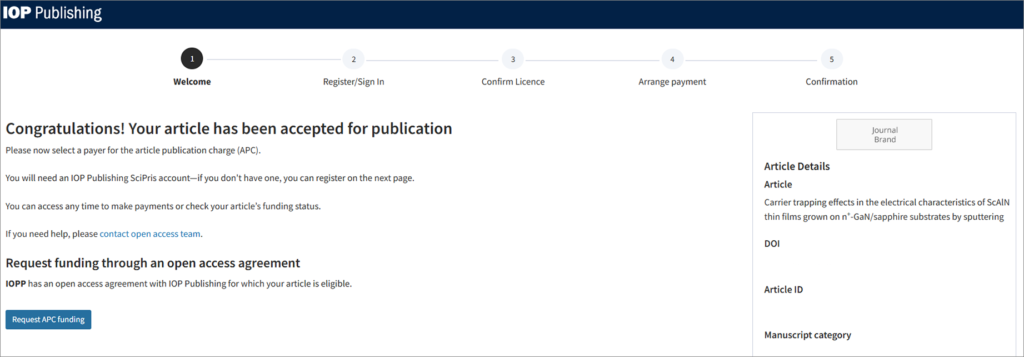
The email will ask you to register or login to SciPris via the IOPP Identity Hub, to confirm that you would like to request funding for your article via your institution’s open access agreement. To assign your institution as the payer, follow these steps:

On the welcome screen, click on the button to ‘Request APC funding’:
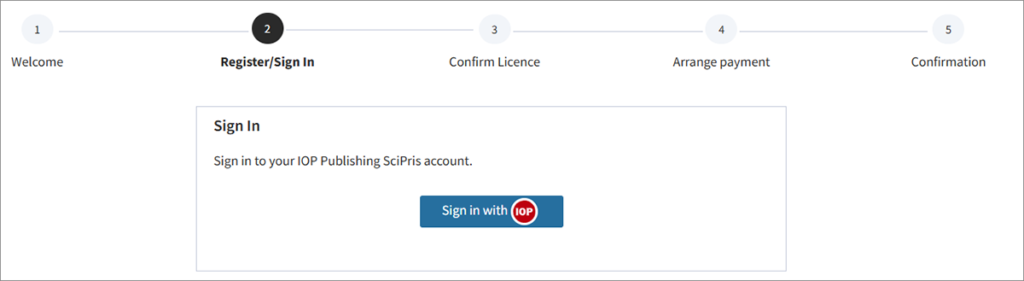
Register/sign in via the IOPP identity hub. You may already have a login via your ORCID account. If not, it is very quick and easy to sign up.
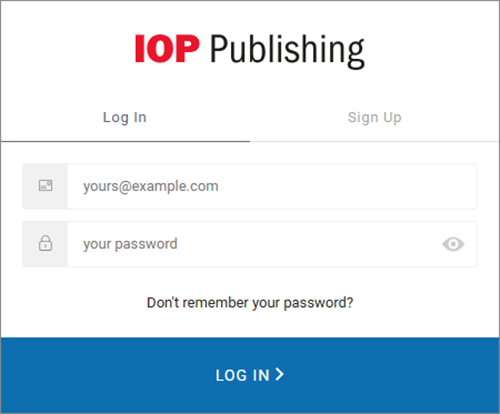
When you have completed the login you will be returned to SciPris and asked to confirm your copyright licence. The Open Access CC BY licence will already be selected. Click ‘Continue’ to proceed.
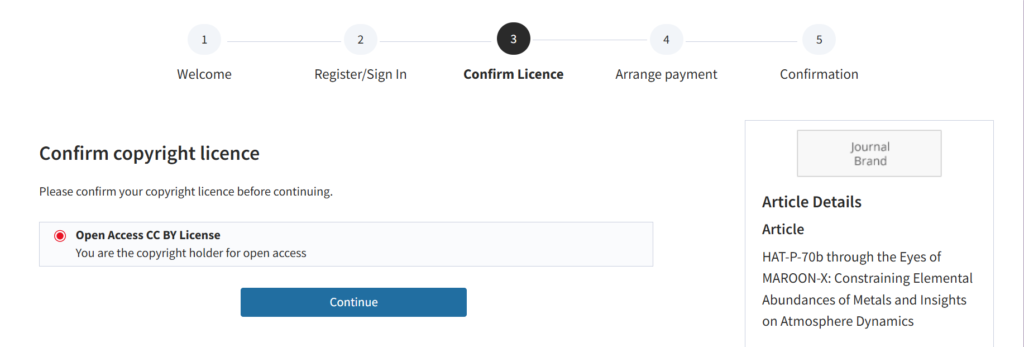
On the next page, click on ‘Submit request‘

You will see a confirmation screen
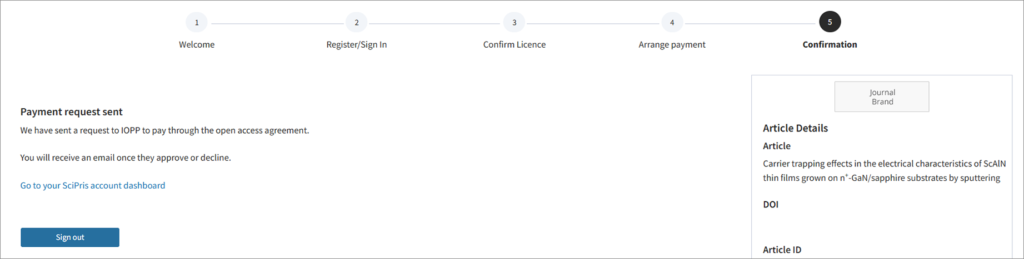
Depending on the terms of the agreement, you will either receive an instant confirmation of funding, or you will receive a funding decision within 5 days of your request.
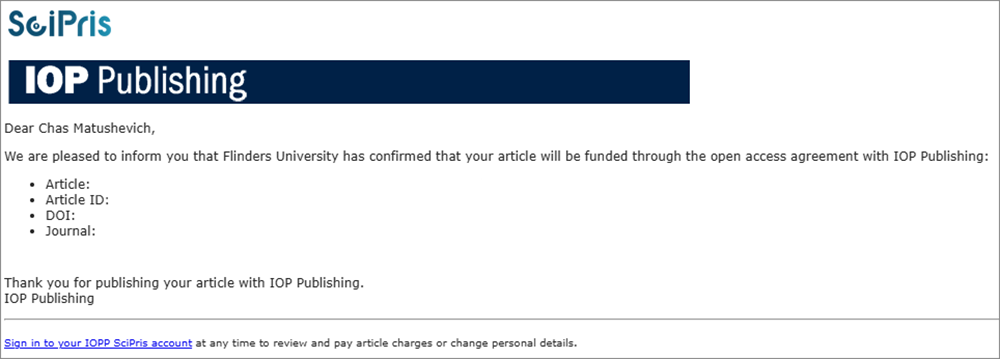
If you need help with any part of this process, please contact us at openaccesscharging@ioppublishing.org
4. Tracking your funding request
You can login to SciPris to see the status of any articles you have requested funding for on your author dashboard. This will show you articles for which you are the corresponding author, and for which funding has been requested. You can also see those that are pending your institution’s decision and those that have been published.
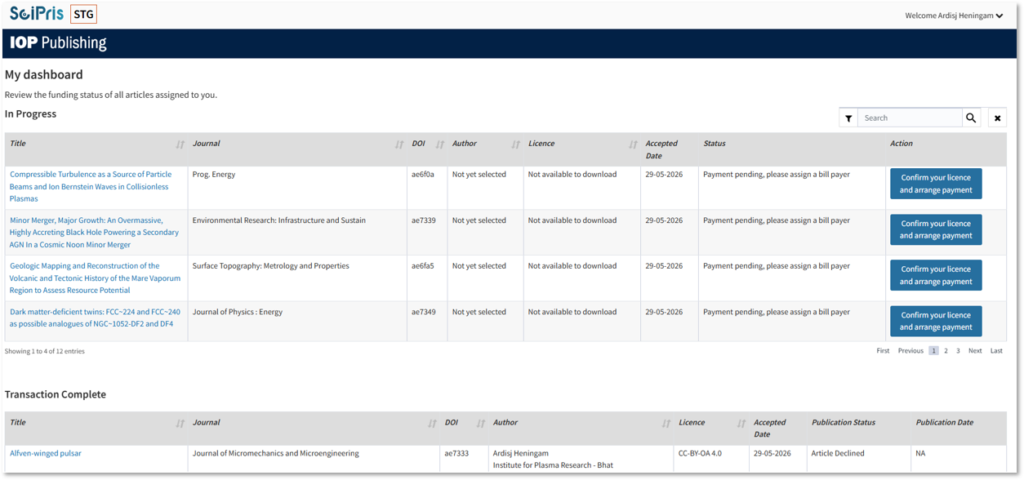
To check your contact information in SciPris, go to the ‘welcome’ link in the top right of the screen. You can update some of your details directly on SciPris. This will only update your SciPris profile, and not your Scholar One profile. However, your email address cannot be edited, as the dashboard can only be associated with one email address.
How to Complete Your APC Funding Request | SciPris Tutorial
Signing your copyright form to publish under a transformative agreement
Watch our short video to find out what the CC BY licence covers, why it’s important, and how to sign it.