
IOPscience Individual Users
IOPscience User - How do I reset my password?
To reset your password, go to the Login page from the main IOPscience website. Please follow these steps depending on your login account preference.
IOPscience User Account:
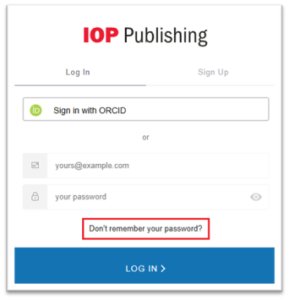
For this user type, please click on ‘Don’t remember your password’ link
The following screen will be the ‘Reset your password’ page
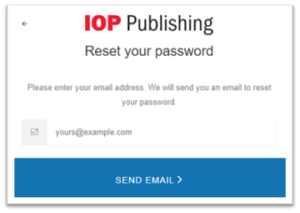
Enter the email address linked to your user account and click ‘Send Email’.
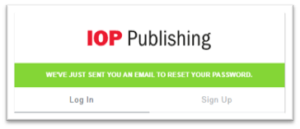
You will receive the following email:
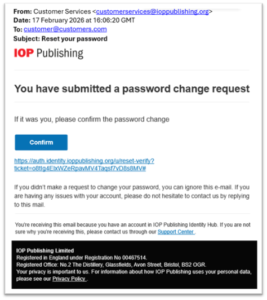
Click ‘Confirm’ and you will be asked to enter a new password
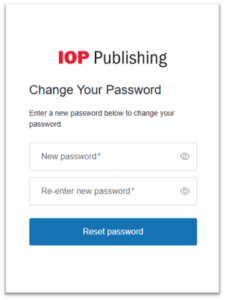
Please note that the password you enter must contain the following:
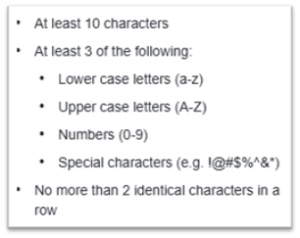
**You cannot reuse the same password as before**
ORCID User Account:
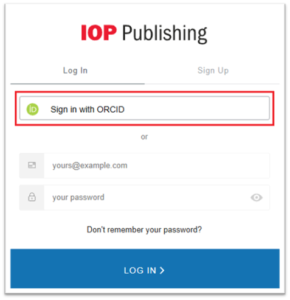
For this user type, please click on ‘Sign in with ORCID’ link
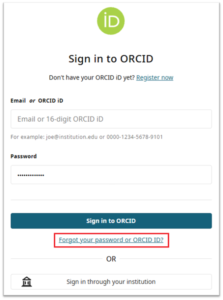
Click on the ‘Forgot your password or ORCID ID?’ link and follow the on screen instructions.
If you have any further questions, please contact our Customer Service team.
IOPscience User - Can I change my email or personal details
To change your email address or update your personal details follow the steps below.
Go to the main IOPscience website and Login.
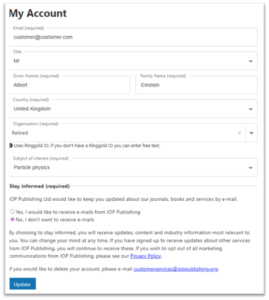
Update the required data and click ‘Update’
Please note: For security reasons, when changing your email address, we will send you a validation email, for you to confirm that you are the owner of the mailbox.
If you have any further questions, please contact our Customer Service team.
How do I delete my account?
How do I delete my account?
If you would like to delete your account, please contact our Customer Service team with your request as follows:
- Full Name on the account
- Email address linked to the account that needs to be deleted (if not known please list possible other email addresses that could have been used)
- IOP Publishing Service for which the account was used
Should have any additional questions, please contact our Customer Service team
How to stop receiving Table of Content Alerts and Marketing emails from IOPscience?
1) Visit the IOPscience website and log in to your user profile.
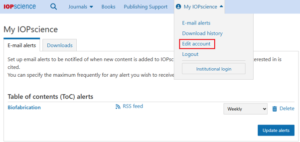
2) You will see the ‘My IOPscience’ tab when you are logged in.
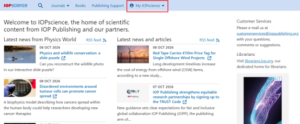
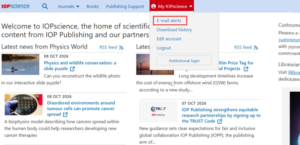
3) To unsubscribe from Table of Content and Search alerts go to ‘Emai alerts’ on the dropdown menu.
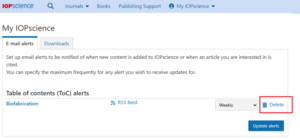
4) If you have any Table of Content alerts or Search Alerts set up, they will appear here and you will be able to change the frequency you receive them and delete them altogether should you wish to.
5) For ‘Marketing Mailings’ go to the ‘Edit account’ option from the drop-down menu
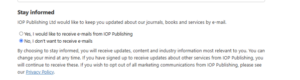
6) Locate the ‘Stay Informed’ section on the next page, where you will be able to choose ‘No, I don’t want to received emails’
If you have any further questions, please contact our Customer Service team.