
IOPscience User - How do I reset my password?
To reset your password, go to the Login page from the main IOPscience website. Please follow these steps depending on your login account preference.
IOPscience User Account:
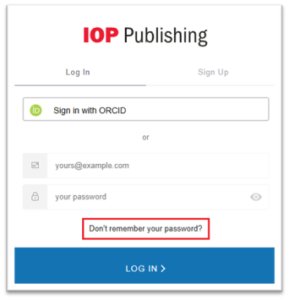
For this user type, please click on ‘Don’t remember your password’ link
The following screen will be the ‘Reset your password’ page
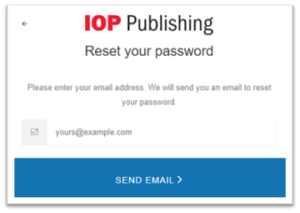
Enter the email address linked to your user account and click ‘Send Email’.

You will receive the following email:
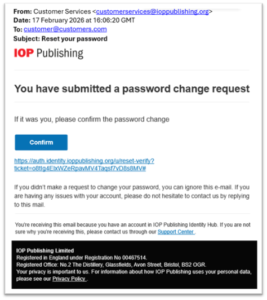
Click ‘Confirm’ and you will be asked to enter a new password
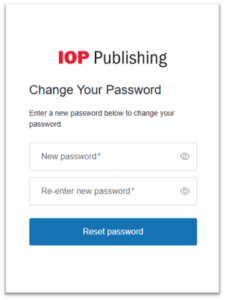
Please note that the password you enter must contain the following:
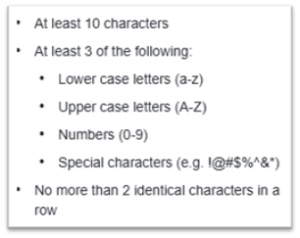
**You cannot reuse the same password as before**
ORCID User Account:
For this user type, please click on ‘Sign in with ORCID’ link
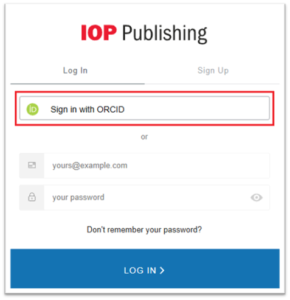
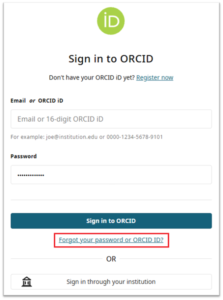
Click on the ‘Forgot your password or ORCID ID?’ link and follow the on screen instructions.
If you have any further questions, please contact our Customer Service team.